How to Use Uniswap for Token Swaps
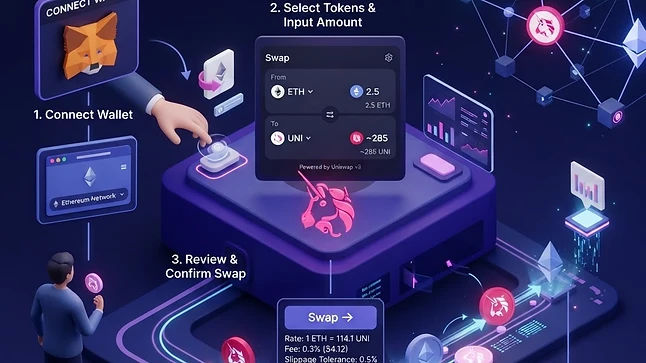
Uniswap makes it possible to swap tokens directly from a wallet without a centralized exchange account. This guide explains the full beginner process, from connecting MetaMask to checking slippage and confirming a safe trade.
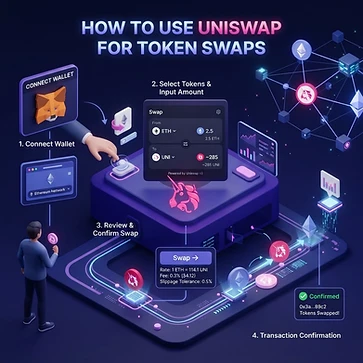
Uniswap is a decentralized exchange that lets you swap tokens directly from your wallet. Instead of creating an exchange account, you connect a wallet such as MetaMask and approve transactions on-chain.
What you need first
Before using Uniswap, make sure you have:
- A self-custody wallet like MetaMask
- Some crypto in that wallet
- The correct network selected
- A small amount of the network's native token for gas fees
For example, on Ethereum you usually need ETH to pay transaction fees.
Connect your wallet
Go to the official Uniswap app and verify the URL carefully.
Then:
- Click Connect Wallet
- Choose your wallet provider
- Approve the connection request in your wallet
Connecting a wallet does not give Uniswap access to your funds by itself, but later approvals can grant token permissions, so read prompts carefully.
Choose the tokens to swap
On the swap screen:
- Select the token you want to swap from
- Select the token you want to receive
- Enter the amount
- Review the estimated output
If a token does not appear automatically, use the official contract address from a trusted source. Fake tokens are a common scam.
Review fees and slippage
Before confirming, check:
- Network fee or gas estimate
- Price impact for the trade size
- Slippage tolerance
- Minimum received amount
Slippage is the difference between the expected price and the final execution price. Thin liquidity or rapid price movement can make slippage worse.
Approve and swap
For many tokens, your first action is an approval transaction. This allows the smart contract to use that token for the swap.
Typical process:
- Approve the token in your wallet
- Wait for the approval transaction to confirm
- Click Swap
- Review the quote again
- Confirm the swap in your wallet
After confirmation, wait for the transaction to be finalized on the blockchain.
Common beginner mistakes
Avoid these issues:
- Using the wrong network
- Swapping into a fake token
- Ignoring gas fees on small trades
- Accepting high slippage without understanding why
- Signing permissions you do not understand
Safety tips
Use these habits every time:
- Bookmark the official Uniswap site
- Verify token contract addresses
- Start with a small test swap
- Revoke old token approvals if needed
- Keep extra gas funds available in your wallet
Uniswap is a powerful tool for exploring DeFi, but the best experience comes from reading every detail before you sign and keeping security at the center of each transaction.
Comments (0)
Be the first to comment.