
How to Buy Your First Bitcoin on Coinbase
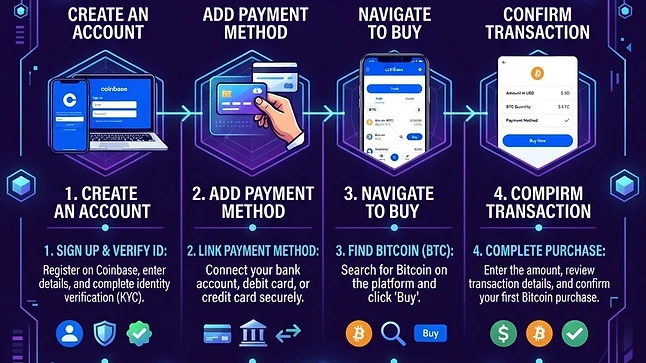
Buying your first Bitcoin on Coinbase is simple when you understand the steps and fees involved. This beginner guide covers account setup, funding methods, and how to make a small first purchase with confidence.
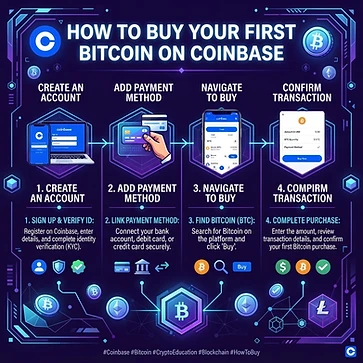
Coinbase is one of the most beginner-friendly crypto exchanges, which makes it a common starting point for first-time buyers. The key is to move slowly, understand the fees, and double-check each step before you confirm a purchase.
Set up your Coinbase account
Start with the official Coinbase website or mobile app.
You will usually need to:
- Create an account with your email address
- Choose a strong password
- Confirm your email
- Complete identity verification with a government-issued ID
- Enable two-factor authentication
Before buying anything, make sure your account is fully verified and secured.
Choose a payment method
Coinbase typically supports several funding options, depending on your region.
Common options include:
- Bank transfer
- Debit card
- PayPal in some locations
- Existing crypto deposit
Things to know:
- Bank transfers often have lower fees but may take longer
- Debit cards can be faster but usually cost more
- Deposit and withdrawal availability varies by country
Decide how much to buy
You do not need to buy one whole Bitcoin. Coinbase allows you to buy a small fraction, which is helpful for beginners.
A smart first step is to:
- Start with an amount you are comfortable learning with
- Review the purchase preview carefully
- Note the fee before confirming
Buy Bitcoin step by step
Once your account is funded:
- Search for Bitcoin or BTC
- Click Buy
- Enter the amount in your local currency or BTC
- Select your payment method
- Review the total cost, including fees
- Confirm the purchase
After the order completes, your Bitcoin should appear in your Coinbase account balance.
Understand where your Bitcoin is stored
By default, crypto purchased on Coinbase is held in your exchange account. For small amounts, this may be convenient. For long-term storage, many users eventually move funds to a self-custody wallet.
Two basic choices are:
- Leave it on Coinbase for convenience
- Transfer it to a personal wallet for more control
Beginner mistakes to avoid
Watch for these common issues:
- Buying too quickly without reviewing fees
- Sending Bitcoin to the wrong address later
- Confusing Bitcoin with similarly named assets
- Investing money you may need soon
- Ignoring security settings
Good habits after your first purchase
Once you buy Bitcoin:
- Record the date, amount, and price for your own tracking
- Learn how withdrawals work before you need them
- Read about wallet safety and backup practices
- Stay cautious of scams promising guaranteed returns
Your first Bitcoin purchase does not need to be complicated. Keep it small, focus on learning, and build confidence one step at a time.
Comments (0)
Be the first to comment.