Setting Up MetaMask Wallet: A Complete Guide
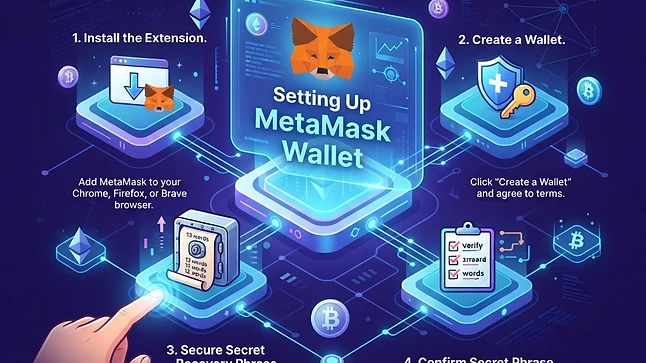
MetaMask is one of the most popular crypto wallets for accessing Ethereum and many other blockchain apps. This guide explains how to install it, secure your recovery phrase, and prepare the wallet for safe everyday use.
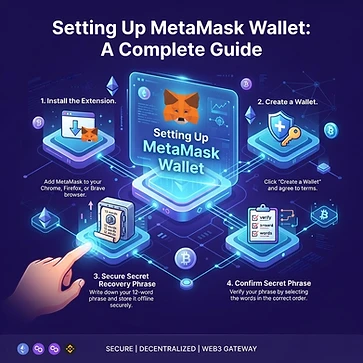
MetaMask is a self-custody wallet, which means you control the funds and the recovery phrase. That gives you flexibility, but it also means you are responsible for security.
What MetaMask is used for
MetaMask can help you:
- Store Ethereum-based tokens
- Connect to decentralized apps (dApps)
- Swap tokens
- Send and receive crypto
- Manage multiple networks such as Ethereum, Arbitrum, Base, and others
Install the wallet
Use only the official MetaMask website or the verified mobile app listing.
You can install it as:
- A browser extension
- A mobile app
After installation:
- Click Create a new wallet
- Choose whether to share anonymous usage data
- Create a strong password for your device or browser wallet
This password protects local access, but it is not your main backup.
Save your Secret Recovery Phrase
The most important step is backing up your Secret Recovery Phrase.
When MetaMask shows the phrase:
- Write it down on paper
- Store it in a private, offline location
- Double-check every word and order
- Never save it in email, chat, or screenshots
Important rules:
- Anyone with the phrase can take your crypto
- MetaMask support will never ask for it
- If you lose it and your device fails, you may lose access permanently
Understand your wallet address
Once setup is complete, MetaMask creates a public wallet address. This address is what you share to receive funds.
You can safely share:
- Your public wallet address
You should never share:
- Your recovery phrase
- Your private keys
- Your device unlock details
Add networks carefully
MetaMask supports multiple networks, but make sure you add the correct one for the token you want to use.
Examples include:
- Ethereum Mainnet
- Arbitrum
- Optimism
- Base
- BNB Smart Chain
Always verify network information from trusted sources before adding a custom network.
Basic first actions
Before using the wallet heavily:
- Copy your address and test receiving a small amount
- Learn how network fees work
- Check which network you are connected to
- Review token contract addresses before importing assets
Safety tips for beginners
Keep these habits from day one:
- Bookmark the official MetaMask site
- Reject suspicious wallet connection requests
- Read transaction approvals before signing
- Consider a hardware wallet for larger balances
- Use a separate wallet for experiments and a main wallet for long-term storage
A well-set-up MetaMask wallet can be a great entry point into Web3, as long as you treat security as part of the setup process, not an afterthought.
Comments (0)
Be the first to comment.